
Setting Up and Maintaining Your TV Studio: A Practical Guide
Building a television studio is a thrilling step toward creating captivating video content, whether for broadcasts, YouTube, or local programming. A well-thought-out setup and regular maintenance can ensure professional-quality visuals and sound. Here’s how to get started and keep your studio in top shape.
Crafting Your TV Studio Setup
Start with the space. A room with controllable lighting and sound is key—aim for at least 15×15 feet to accommodate cameras, talent, and gear. High ceilings help with lighting rigs, while carpets or curtains dampen echoes. Soundproofing foam or panels can elevate audio if your budget allows.
Lighting is your visual backbone. A three-point setup—key light, fill light, and backlight—creates depth. Affordable LED panels from brands like Neewer or GVM work well; they’re adjustable and energy-efficient. Mount them on stands or overhead rails, and use diffusers or softboxes to soften harsh shadows.
Cameras come next. For beginners, a DSLR or mirrorless camera like the Canon EOS M50 or Sony A6400 offers great quality without complexity. For multi-camera shoots, add a switcher like the Blackmagic ATEM Mini to seamlessly cut between angles. Tripods with fluid heads keep shots steady—cheap shaky footage screams amateur.
Audio matters just as much as video. Lavalier mics (clip-ons) or shotgun mics mounted on booms capture clean sound. Pair them with an audio recorder like the Zoom H5 or feed directly into your camera if it has solid preamps. Test for clarity—muffled dialogue kills viewer engagement.
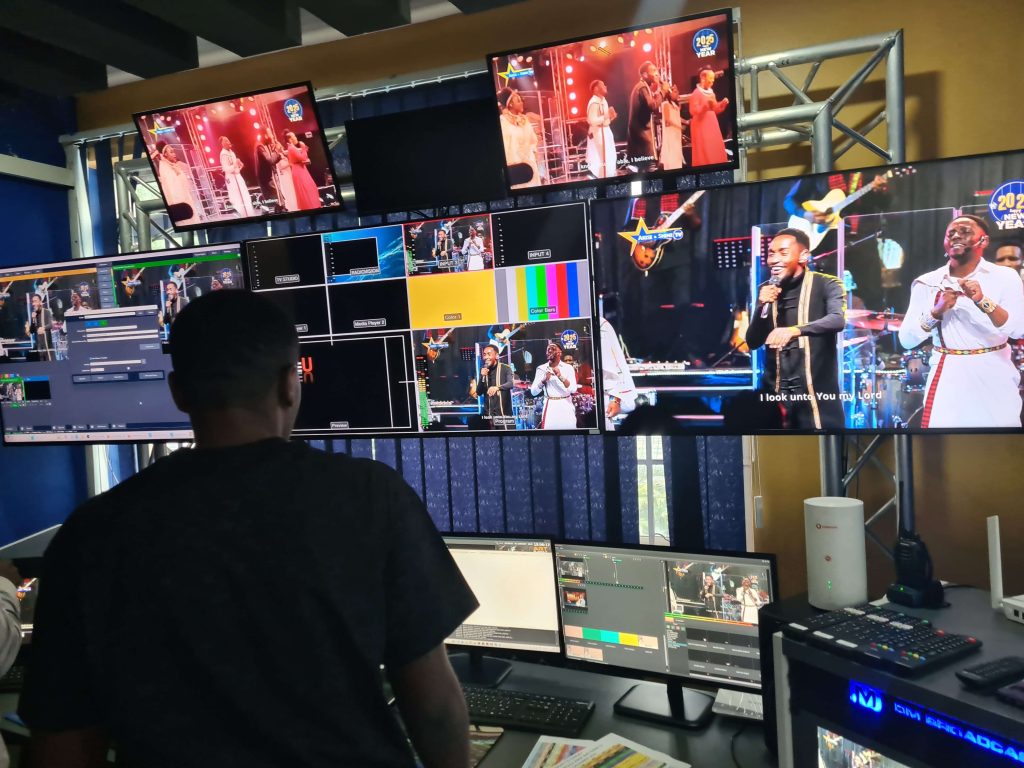
A backdrop sets the scene. A green screen is versatile for digital backgrounds, or a simple fabric drape adds polish. Keep it wrinkle-free and evenly lit. Finally, a control area with a monitor, switcher, and computer running software like OBS Studio ties it all together for live or recorded production.
Layout and Wiring
Position cameras at eye level for natural framing, about 6-10 feet from talent. Lights should flank the subject at 45-degree angles, with the backlight behind. Run cables along walls or under mats to avoid clutter—label them for quick troubleshooting. Test every element—lights, sound, cameras—before rolling.
Maintenance for Peak Performance
Gear lasts longer with care. Cameras need lens cleaning with microfiber cloths and proper caps when stored. Check mounts and tripods for loose screws; a dropped camera is a costly lesson. Store in a dry, dust-free case—humidity is a sensor’s enemy.
Lights require attention too. Dust LED panels with a soft brush and check cables for wear—flickering means trouble. Replace bulbs or panels proactively if they dim; uneven lighting ruins shots. For audio, clean mic connectors with contact cleaner and store lavs untangled to prevent cable twists.
Backdrops need wrinkle checks—steam or iron fabric as needed, and roll green screens to avoid creases. In the control area, keep gear ventilated; dust fans with compressed air monthly. Update software and back up footage to external drives—lost files are a nightmare.
Conclusion
A TV studio blends tech and creativity. Start with essentials, refine your setup, and maintain diligently. Crisp visuals and clear sound will keep viewers hooked—now, lights, camera, action!